
There’s something about a printed logbook that a screen can’t quite match. The heft of it. The way you can flip through a whole season in a few minutes. The satisfaction of seeing your passages laid out on paper, chart-style.
PDF Export brings that feeling to SailorsLog. Export a single entry or your entire sailing logbook as a typeset A4 document — the kind of thing you might actually want to print, bind, and keep on the shelf next to the almanac.
Print Your Sailing Logbook with Photos, Maps, and Metadata
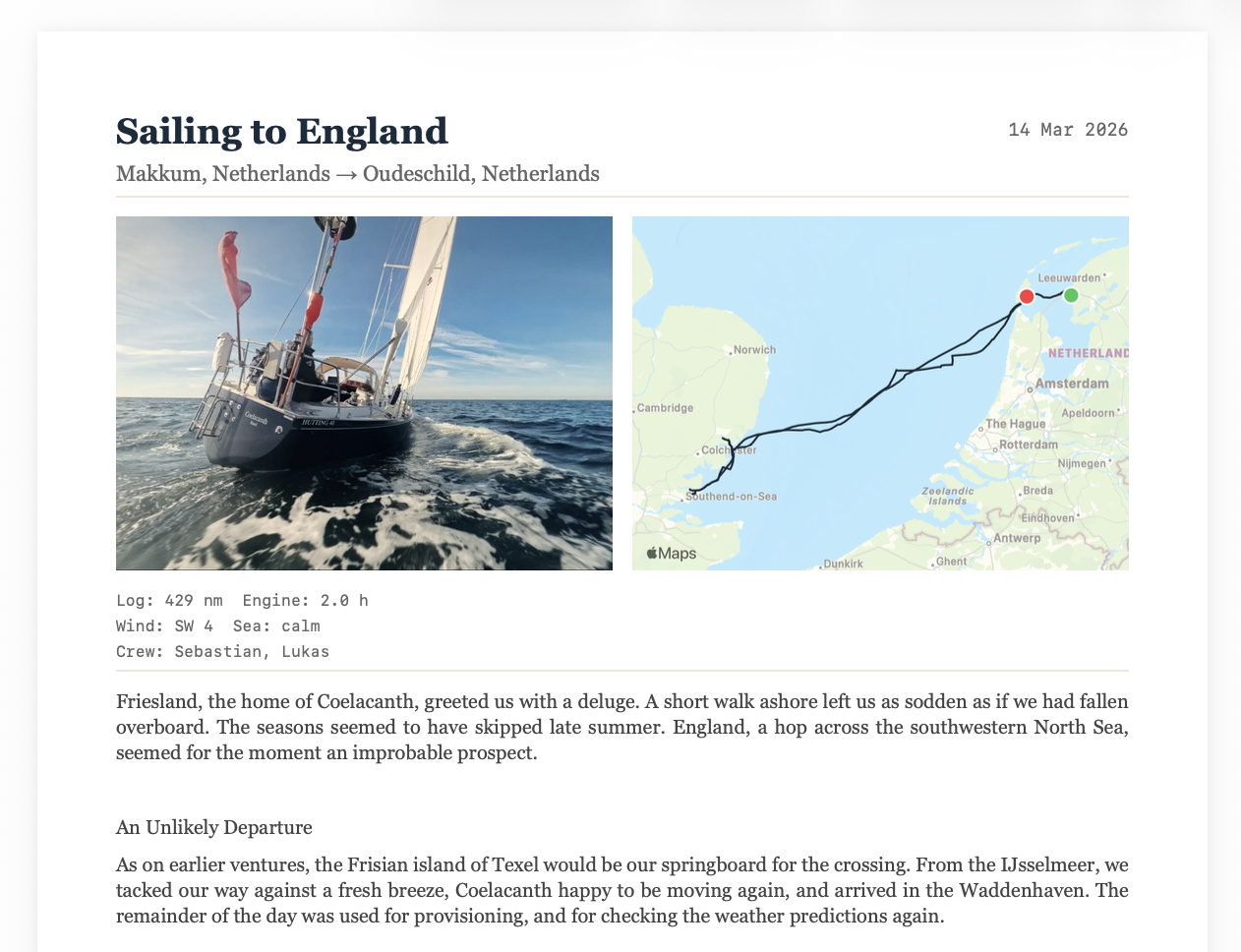
Each entry is laid out magazine-style on A4: your hero photo and map snapshot side by side at the top, passage metadata (distance, engine hours, weather, crew) in a compact row, and your log text below — justified, set in Georgia, with brass rules separating sections. It looks like something a maritime publisher would produce, not a database export.
For the full logbook, SailorsLog generates a cover page with your vessel’s hero image (or a tasteful anchor fallback), vessel name, and the date range of your entries. Every entry follows, paginated with running page numbers and your vessel name in the footer.
GPX Track Maps in Your Printed Logbook
Your GPX tracks render as proper chart overlays — the same polyline you see in the app, with green departure and red arrival markers, and brass dots for passage events. The map is generated via Apple’s MKMapSnapshotter, which means it works entirely offline once the tiles are cached. No internet needed at anchor.
Multi-Page Text Flow for Long Passages
Long entries — and sailors tend to write long entries — flow automatically across pages. SailorsLog splits text at word boundaries using binary search, so you never get an orphaned line or a cut-off paragraph. Each continuation page carries the same footer and page numbering.
Export a Single Entry or Your Full Logbook
Open Settings → Data Management → Export Full Logbook as PDF, or tap the share button on any individual entry and choose PDF. SailorsLog renders the document in the background and opens a preview — from there you can share, print, or save to Files.
Free-tier users get a subtle diagonal watermark (“Created with SailorsLog Free”). Skipper subscribers get clean, unbranded output.
Download SailorsLog on the App Store and start logging your passages today.
Fair winds ⚓️