
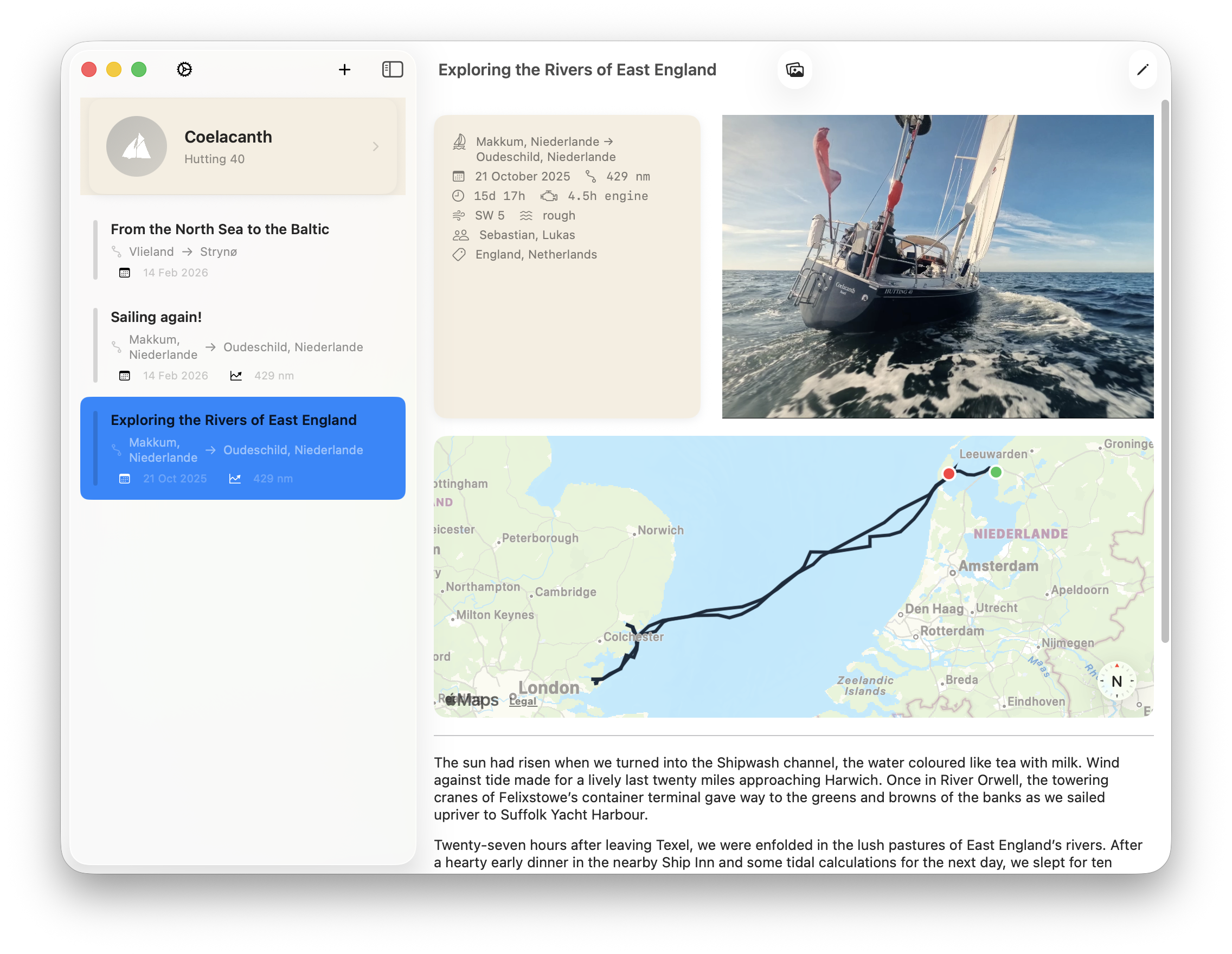
I’ve been keeping a sailing logbook since we bought Coelacanth, a Hutting 40 built in 2001. A Moleskine notebook at the chart table, a pen, and saltwater-stained pages recording departures, weather, crew, and our experiences exploring new anchorages.
Paper works. It doesn’t need charging, it survives a knockdown, and there’s something right about the physical act of writing at sea. But it has limits. The paper logbook from our North Sea crossings don’t include the photos from these trips, the GPX track is buried in the chart plotter or in Navionics, and the story that connects them is nowhere in one place.
That’s what SailorsLog is trying to fix.
Why Existing Sailing Logbook Apps Fall Short
Existing navigation tools with a logbook bolted on are built around navigation – which they do well. But behind NMEA integration, AIS overlays, and routing, the logbook is an afterthought. They work well for what they’re primarily designed to do. But they don’t care about your experiences, your anchorage notes, or the story of the passage.
The other camp: generic journal apps dressed up with anchor icons. These look good in the App Store screenshots, but they don’t understand that a logbook entry has structure: departure port, arrival port, distance, engine hours, weather. They don’t know what a GPX track is. They weren’t designed for someone who might be writing an entry without internet connection and then editing it the next morning in a marina on Wi-Fi.
I wanted something that understood sailing — the vocabulary, the workflow, the connectivity reality — and also cared about the quality of the record.
An Offline-First Sailing Logbook with GPX Tracks and iCloud Sync
Three things mattered from the start.
Offline-first. Everything saves to the device immediately. No spinner, no “waiting for cloud.” You write the entry, it’s saved. Sync happens in the background when you have connectivity. If you’re mid-Atlantic on Iridium, the app still works perfectly — text syncs in kilobytes, photos wait for Wi-Fi.
Beautiful records. A logbook entry should feel worth writing. The detail view shows your passage on an interactive chart, your photos in a gallery, the metadata laid out properly. Not a database row — a record of something that actually happened.
Multi-device without friction. Coelacanth has two regular crew. We carry iPhones and iPads. I wanted to write the passage notes on my phone during watch and find them on my iPad the next morning without doing anything. That turned out to be the hardest engineering problem in the project — building a sync engine that handles field-level conflicts when two people have edited the same entry offline simultaneously.
Sebastian and the Icon
The app icon is the work of Sebastian, who has also been beta testing since the early builds. He took most of the promotional photography. The icon — a geometric sail abstraction — went through more iterations than I’d care to admit, and he was patient with all of them.
Beta testing a sailing app is a specific kind of effort: it means actually going sailing and then filing bug reports from the marina. Sebastian did that, repeatedly, and the app is significantly better for it.
A Sailing Logbook App for iPhone, iPad, and Mac
SailorsLog is a native iOS app — iPhone, iPad, and Mac — available on the App Store. It captures the full structure of a passage log: departure and arrival ports, dates and times, distance, engine hours, wind, sea state, crew, and notes. GPX tracks import directly from chartplotters and Navionics. Photos pull GPS coordinates from EXIF data. Entries sync between devices via iCloud.
It is not a navigation app. It does not replace your chartplotter, your anchor alarm, or your AIS. It is a logbook — a place to record what happened, with the context to make that record worth keeping years from now.
The app is free to start. Skipper subscription (€29/year) unlocks unlimited entries, 10 photos per entry, and multi-device sync. Download on the App Store.
Fair winds! Lukas